Service and ERP software for IT service providers
The software for IT service providers, from the first ticket to the paid invoice.
IDA is the service and ERP software for IT service providers and system houses: tickets, inventory, contracts and time tracking, and the commercial side too: quotes, orders, invoices, warehouse, purchasing, banking and accounting. One system instead of a ticket tool plus an ERP plus spreadsheets.
One price, everything included · 30 days free
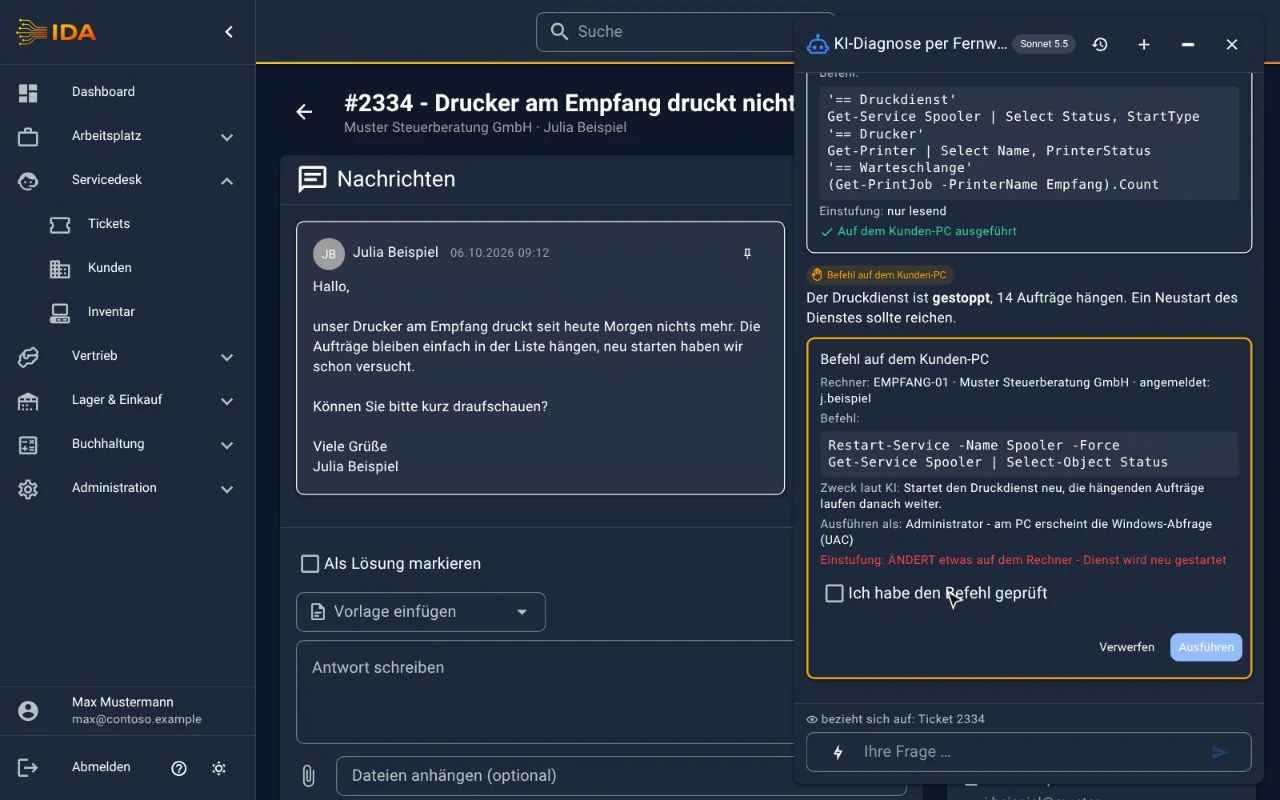
New: AI diagnostics in remote support
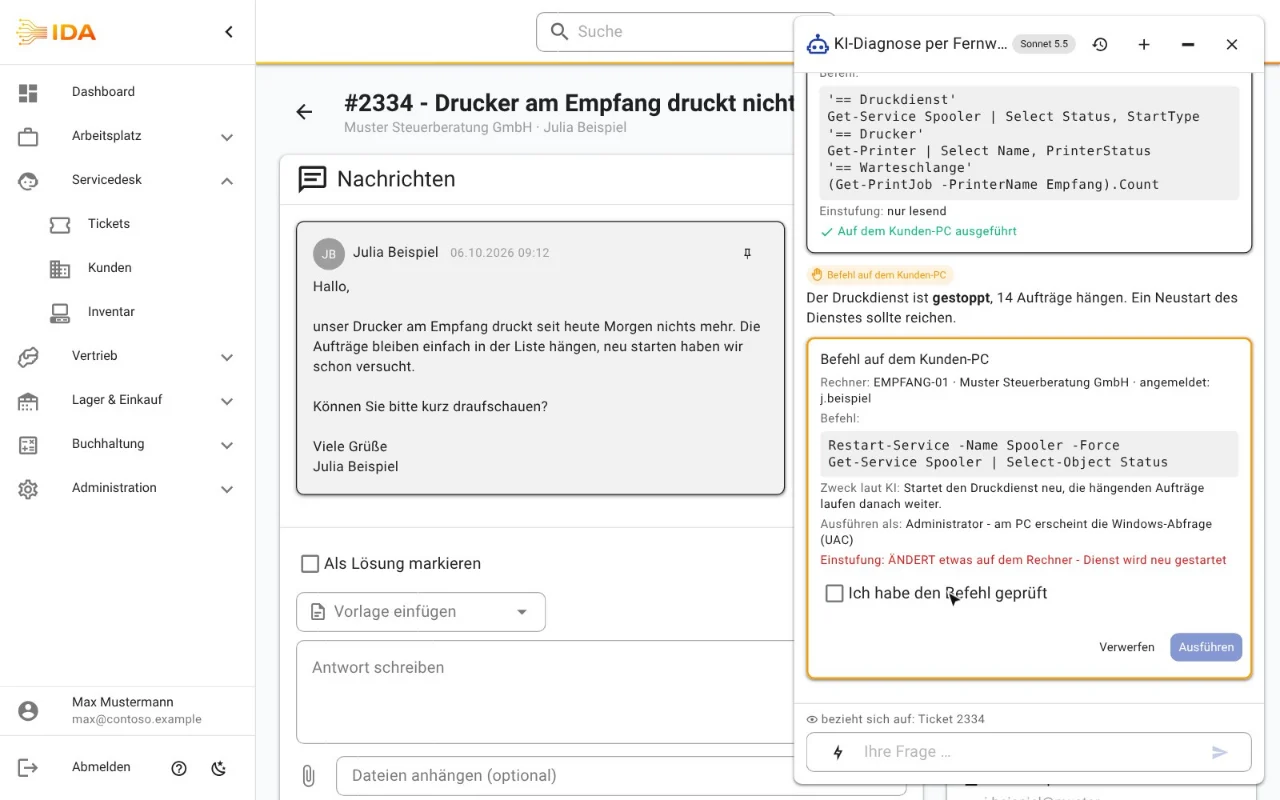
The AI finds the fault, you stay on the phone
On the machine via remote support, the customer on the phone: the AI reads the ticket, checks the machine with PowerShell and suggests the fix. Only what you approve is run.
- Read-only checks bundled, one click
- Changing commands only after a second "checked" click
- The customer consents and sees every command
- Signed jobs, a log of every session
Built for IT service providers
Built by an IT service provider who runs on it. Everything that makes up the customer operation, in one place:
One platform, every piece of information
From the incoming request to the report, in one system
The ticket becomes an order, the order becomes an invoice, the payment closes it. No broken data, no double entry, no export into a second application.
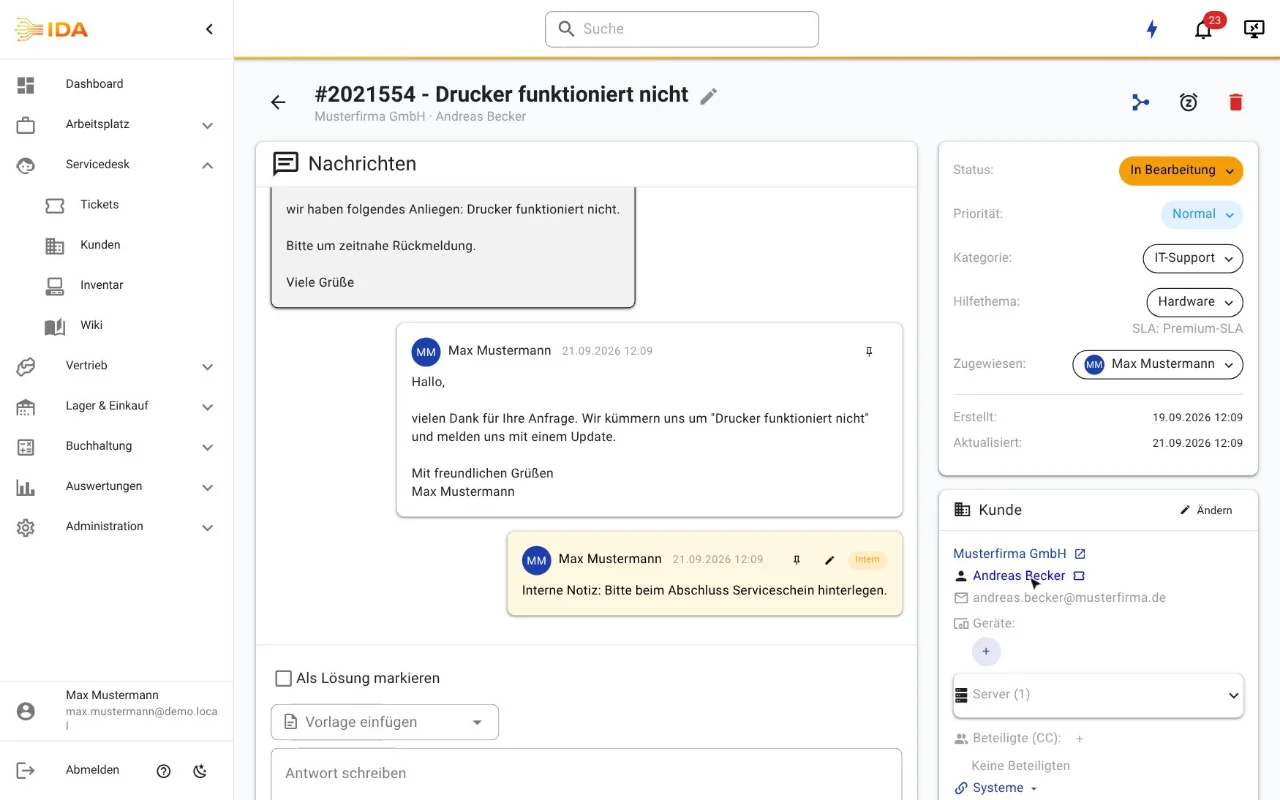
Tickets & cases
Capture requests by email, web or API, prioritise them and work them off against SLA deadlines.
Learn more →AI assistant
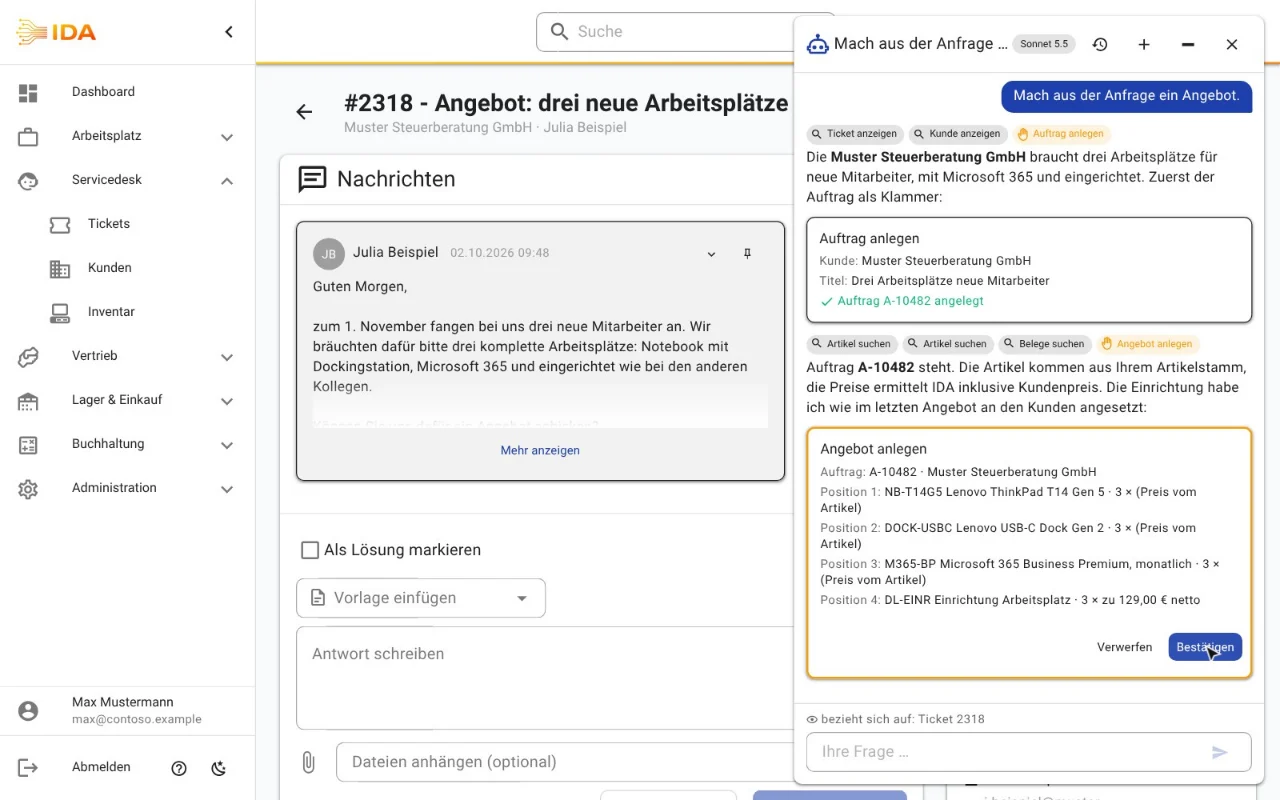
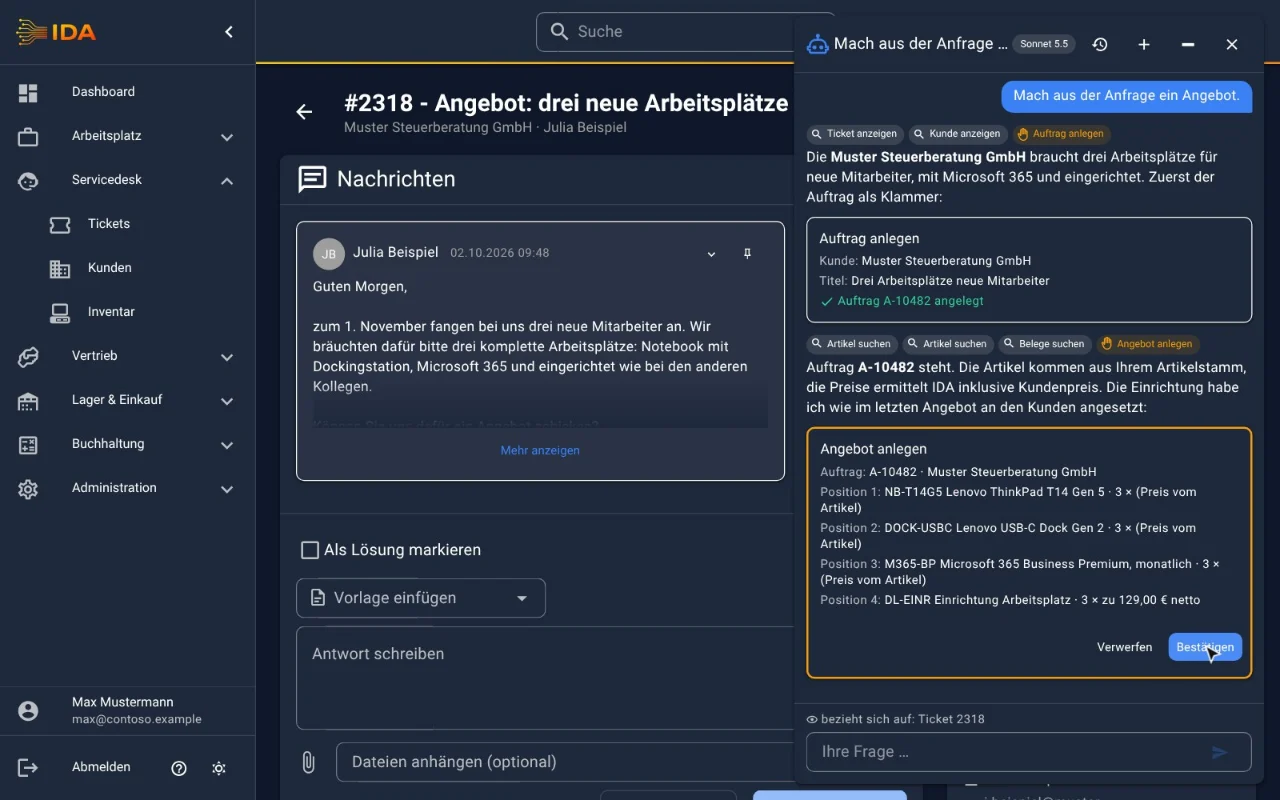
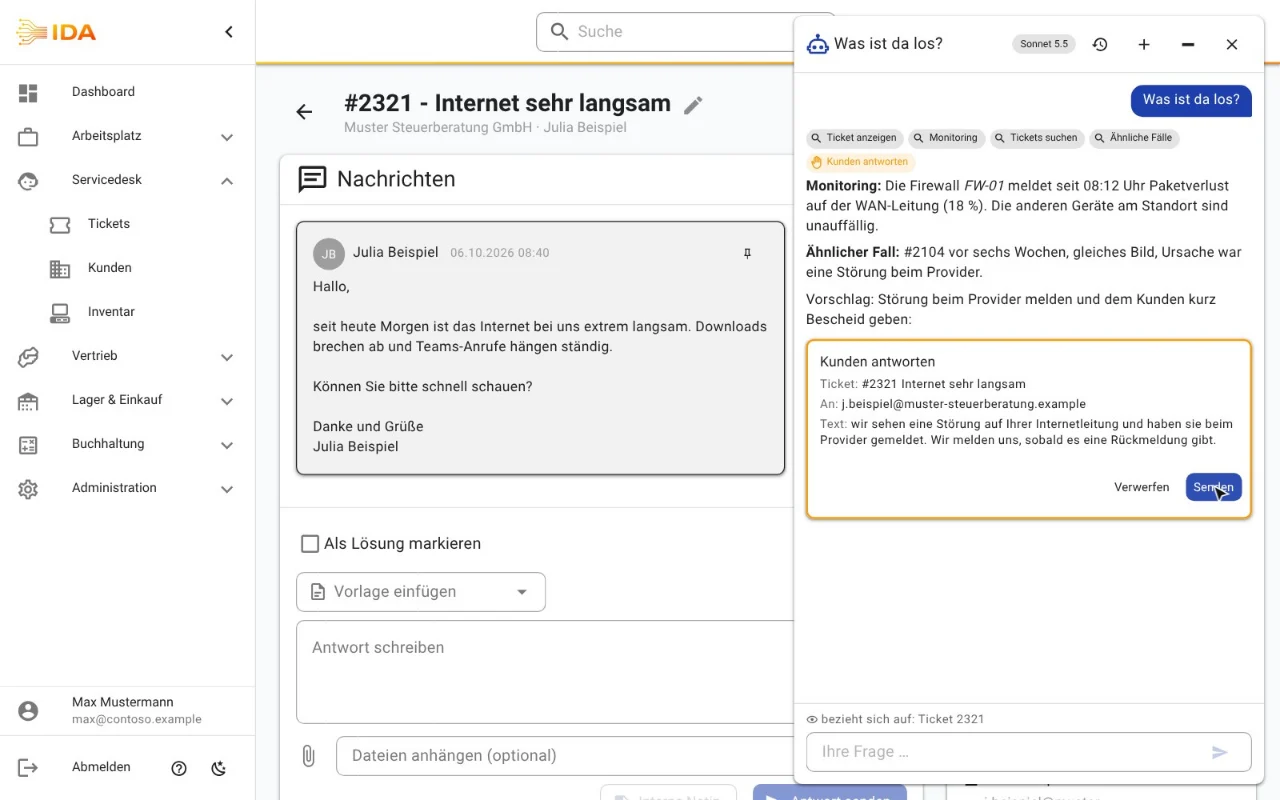
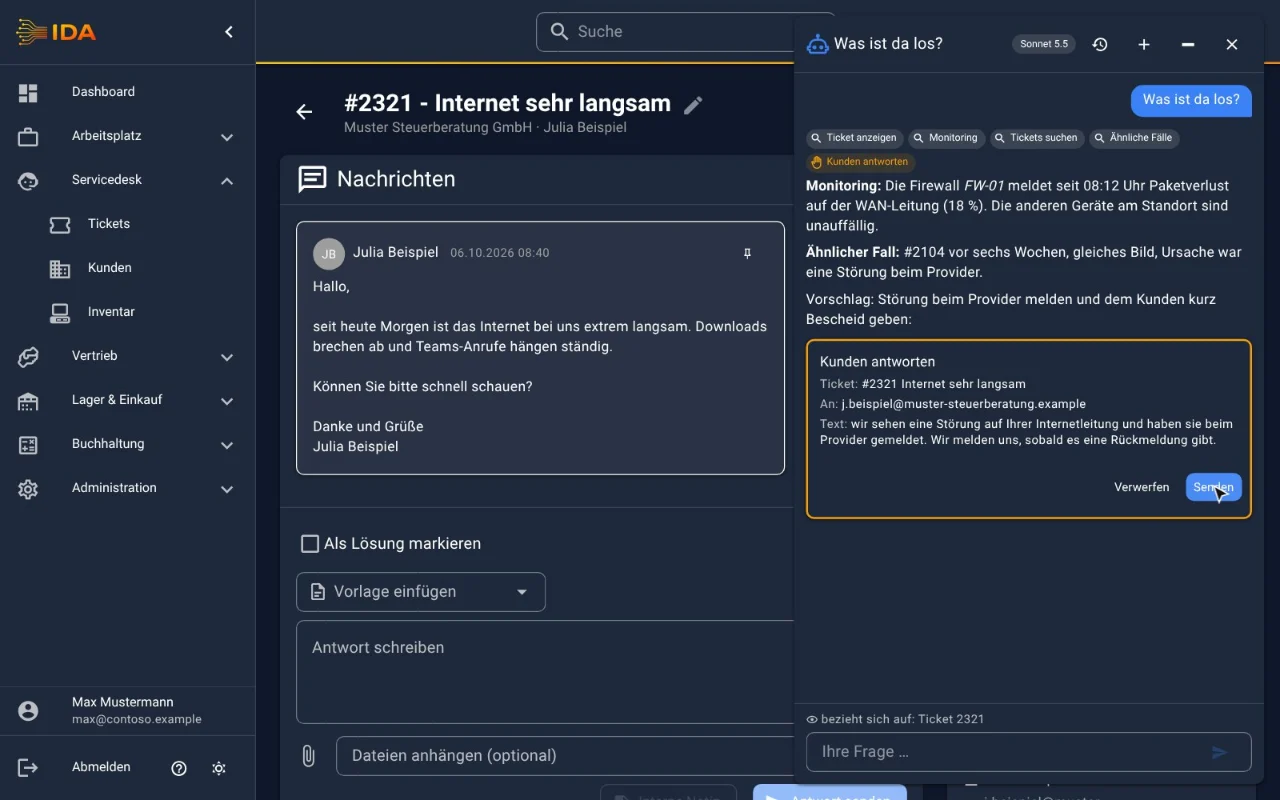
Ask questions, summarise incidents, turn requests into quotes: in a chat right inside IDA or through Claude and ChatGPT. You confirm every change with a click.
Learn more →AI diagnostics in remote support
The AI checks the customer PC with PowerShell and suggests the fix while you are on the phone. Every command runs only after your click.
Learn more →Customers & contacts
Companies, contacts and sites in one place - with account manager, portal access and automatic ticket routing by email domain.
Learn more →Customer portal
Customers raise and track requests without a password (magic link) - including forms and an optional device overview.
Learn more →Telephony & CTI
Callers are recognised, calls land in the call list, the time lands on the ticket - with 3CX, Yeastar, STARFACE or Microsoft Teams.
Learn more →Forms & data capture
Build your own forms without code - file upload included, shareable by link, submissions become tickets.
Learn more →Tasks, projects & workflows
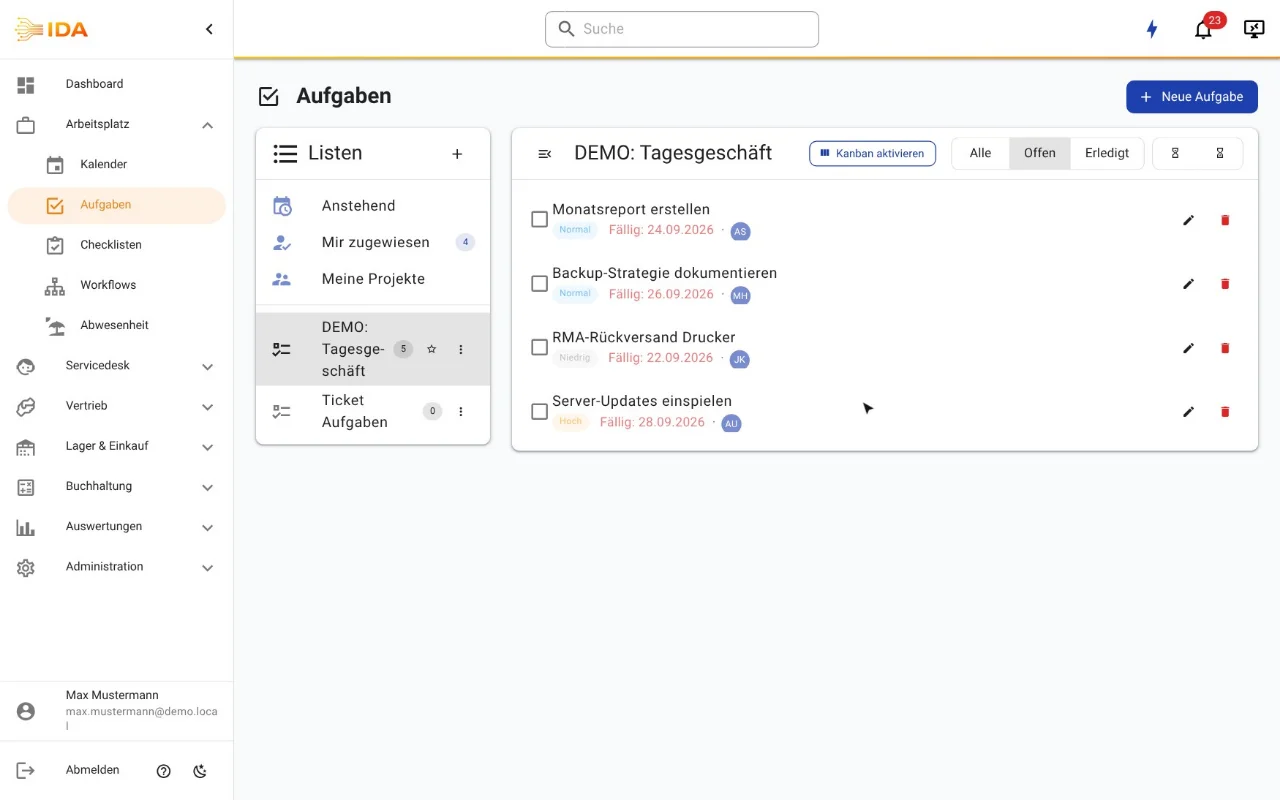
Tasks with deadlines and dependencies, recurring routines, and workflows for processes across several people.
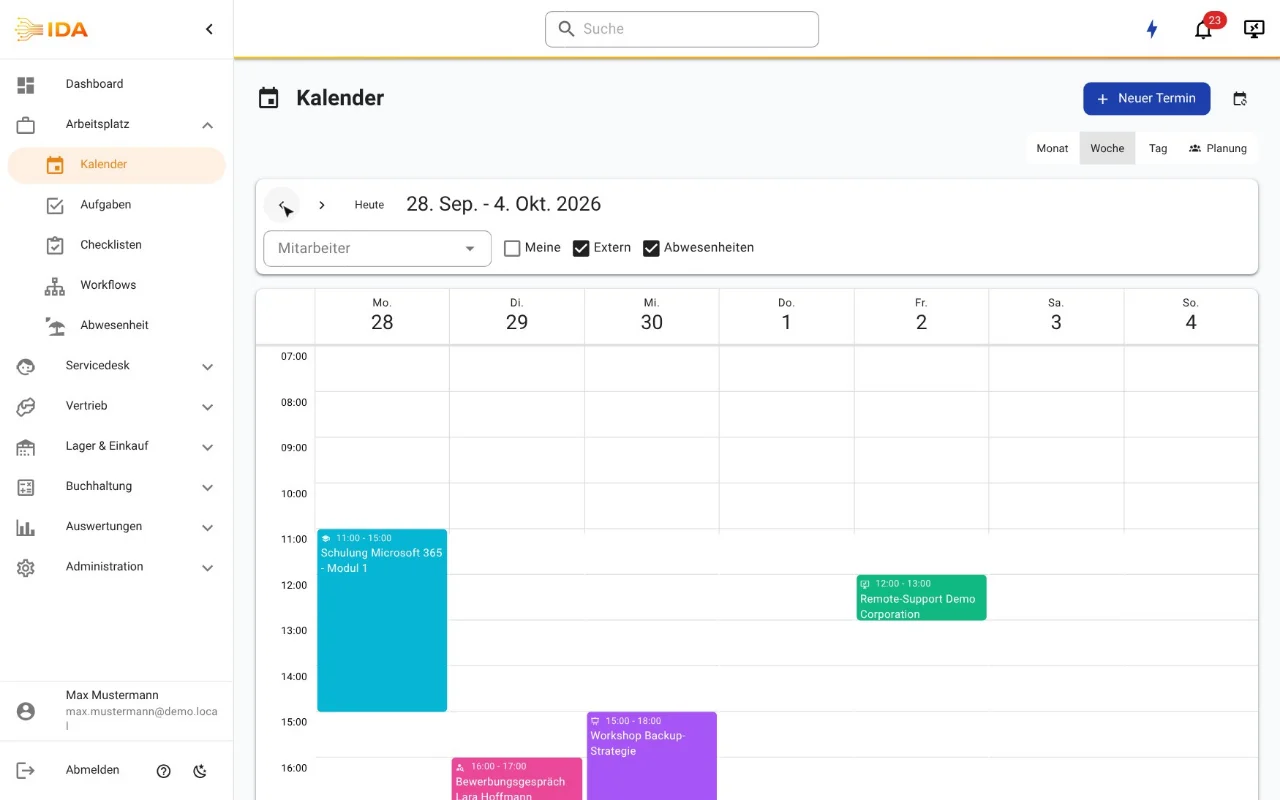
Learn more →Calendar & availability
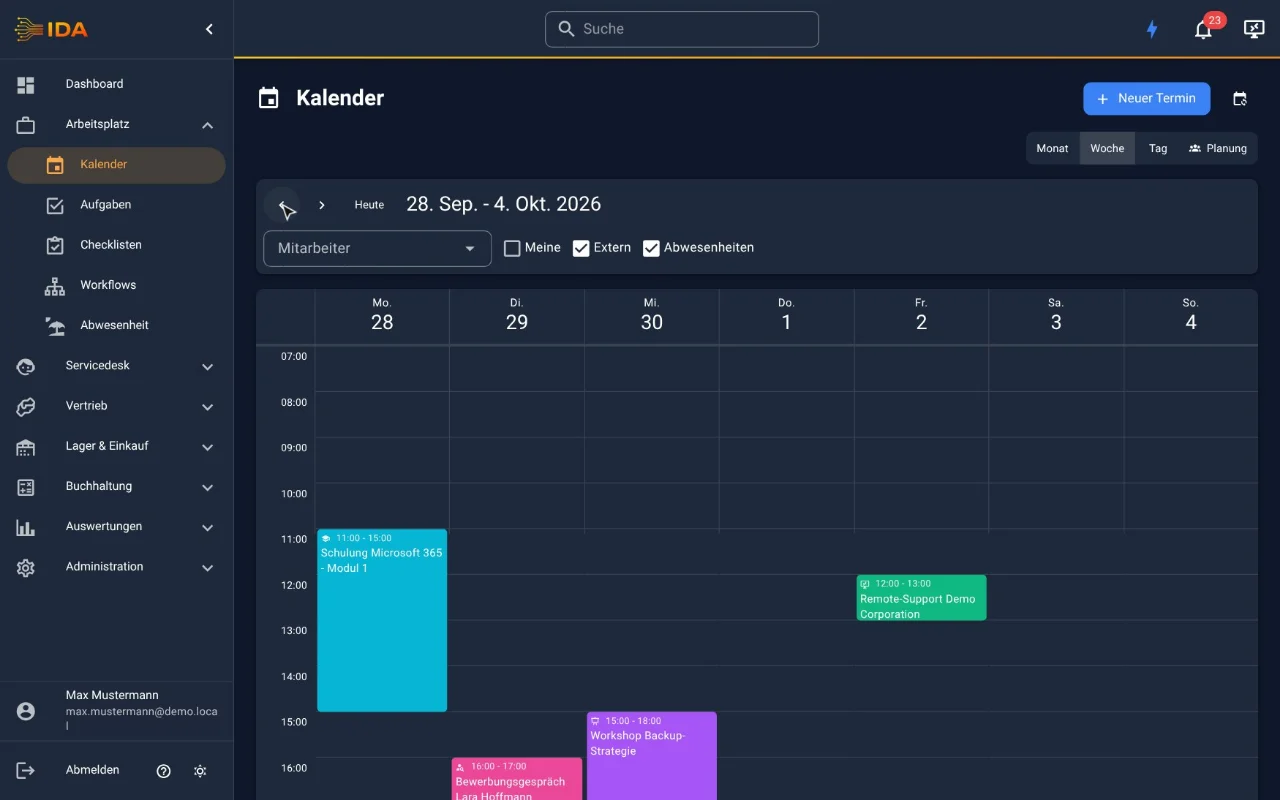
Team calendar with dispatch and resource planning, external calendars, absences and reminders in one view.
Learn more →Inventory & assets
Devices, licences and contracts per customer - synchronised automatically from OCS, OPSI and the security consoles.
Learn more →Monitoring & incidents
Checkmk, UniFi, N-central and Server-Eye in one widget - an alert becomes a ticket with an SLA.
Learn more →Equipment handover
Hand out keys, laptops and access cards against a signature - with terms, receipt and return workflow.
Learn more →Checklists & sign-off
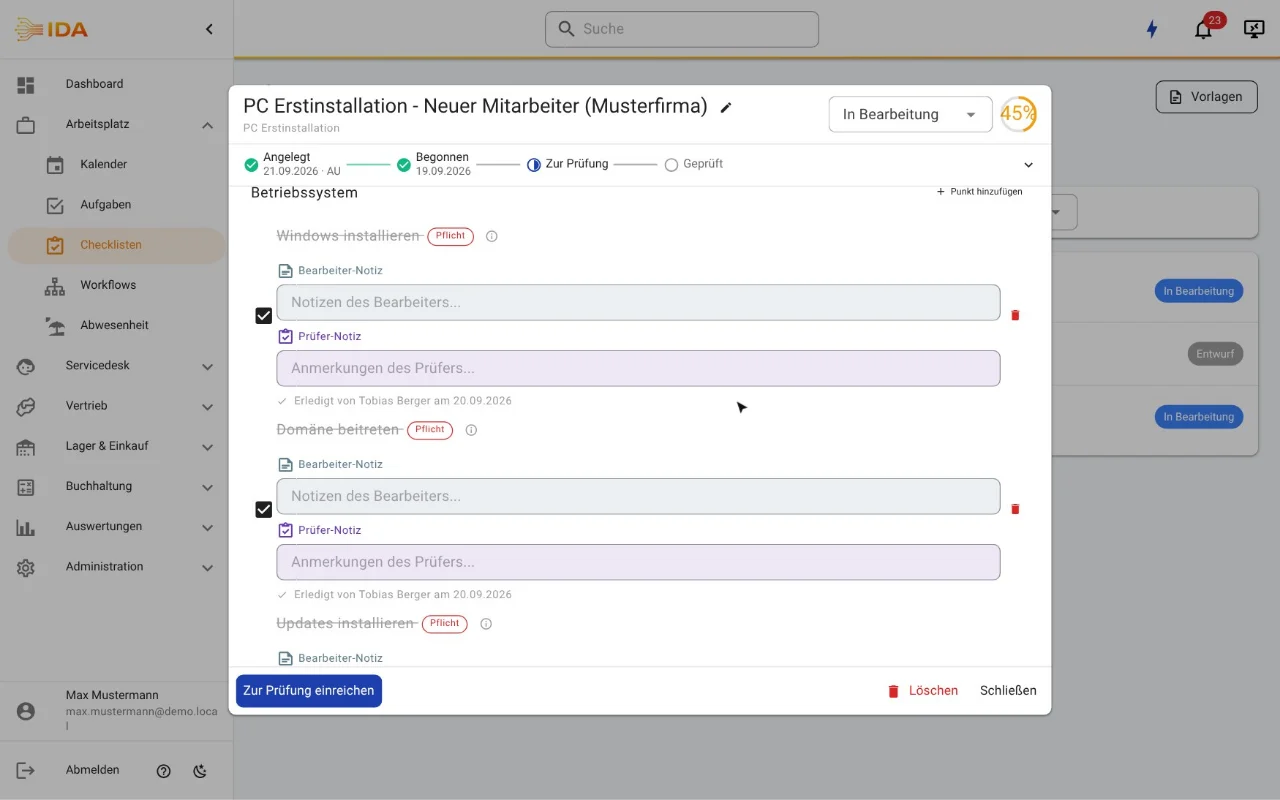
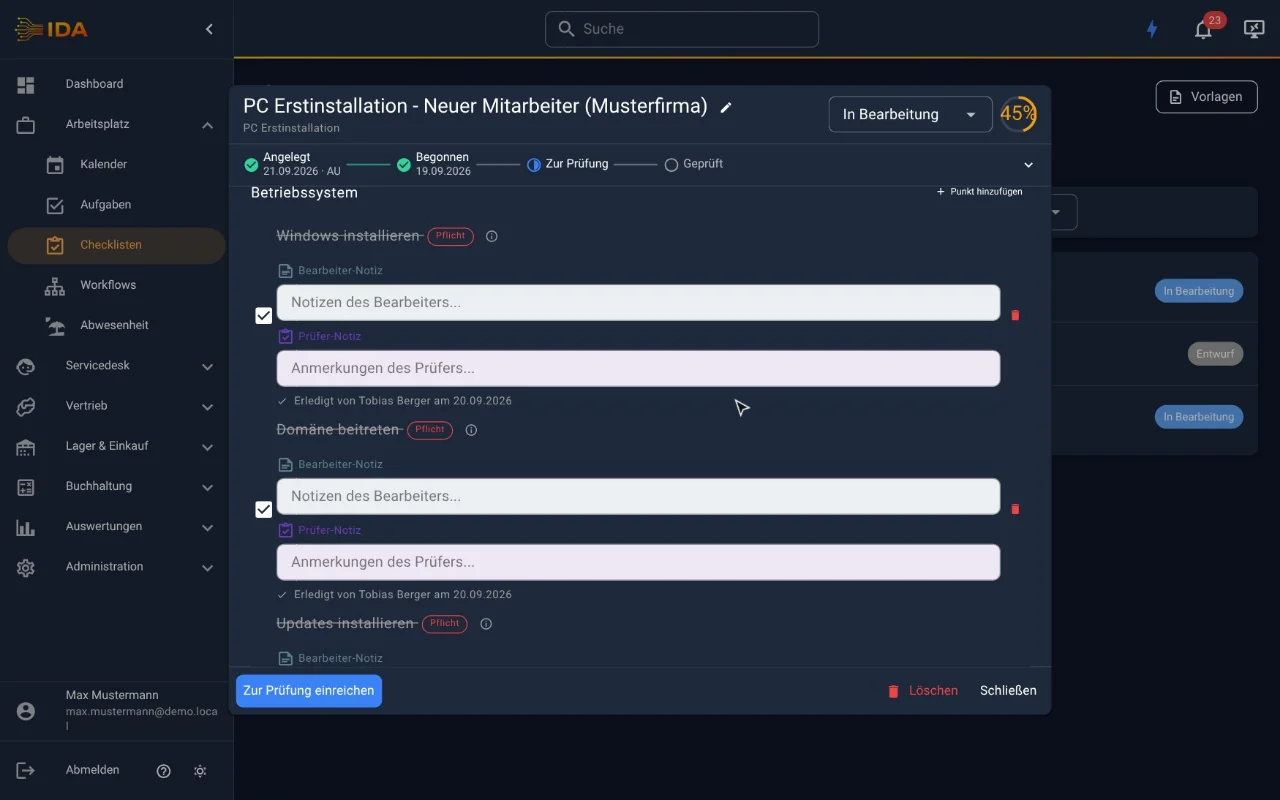
Onboarding, maintenance and inspections as repeatable checklists with progress, due dates and a review step.
Learn more →Contracts, budget & SLA
Maintenance contracts with budget and hourly rate, SLA deadlines per priority, consumption straight from time tracking.
Learn more →Digital signature
Contracts and service reports signed on the spot - on a tablet or phone, stored encrypted on the document.
Learn more →Time tracking
Record time on the ticket - billable or not, assigned to the right contract automatically.
Learn more →Absence, attendance & time accounts
Request and approve leave, report sickness, clock in and out, and keep overtime on a time account.
Learn more →Quotes, orders & documents
From the ticket to the order, from the order to every document - the order is the bracket that holds them together.
Learn more →Invoices & e-invoicing
Invoices including ZUGFeRD and XRechnung, dunning-ready, with proper document numbering and archiving.
Learn more →Subscriptions & recurring billing
Cloud licence quantities are reconciled against the portals - pro-rata charges included, on one contract.
Learn more →Warehouse & serial numbers
Stock across several locations, serial and batch numbers, production from bills of materials.
Learn more →Purchasing & procurement
Demand, approval, order, goods receipt - with distributor catalogue search and three-way invoice matching.
Learn more →Banking, payments & dunning
Bank statements over FinTS, automatic payment matching, SEPA direct debit and a dunning process with stages.
Learn more →Accounting & DATEV
Chart of accounts, VAT handling, cost centres and the export your tax adviser expects.
Learn more →Dashboards & reports
Reports on tickets, time, budgets and utilisation - plus revenue, margin, open items, stock and purchasing.
Learn more →Knowledge & wiki
Internal documentation with a page tree, per-page visibility and attachments - or link your existing wiki.
Learn more →Product tour
A look inside IDA
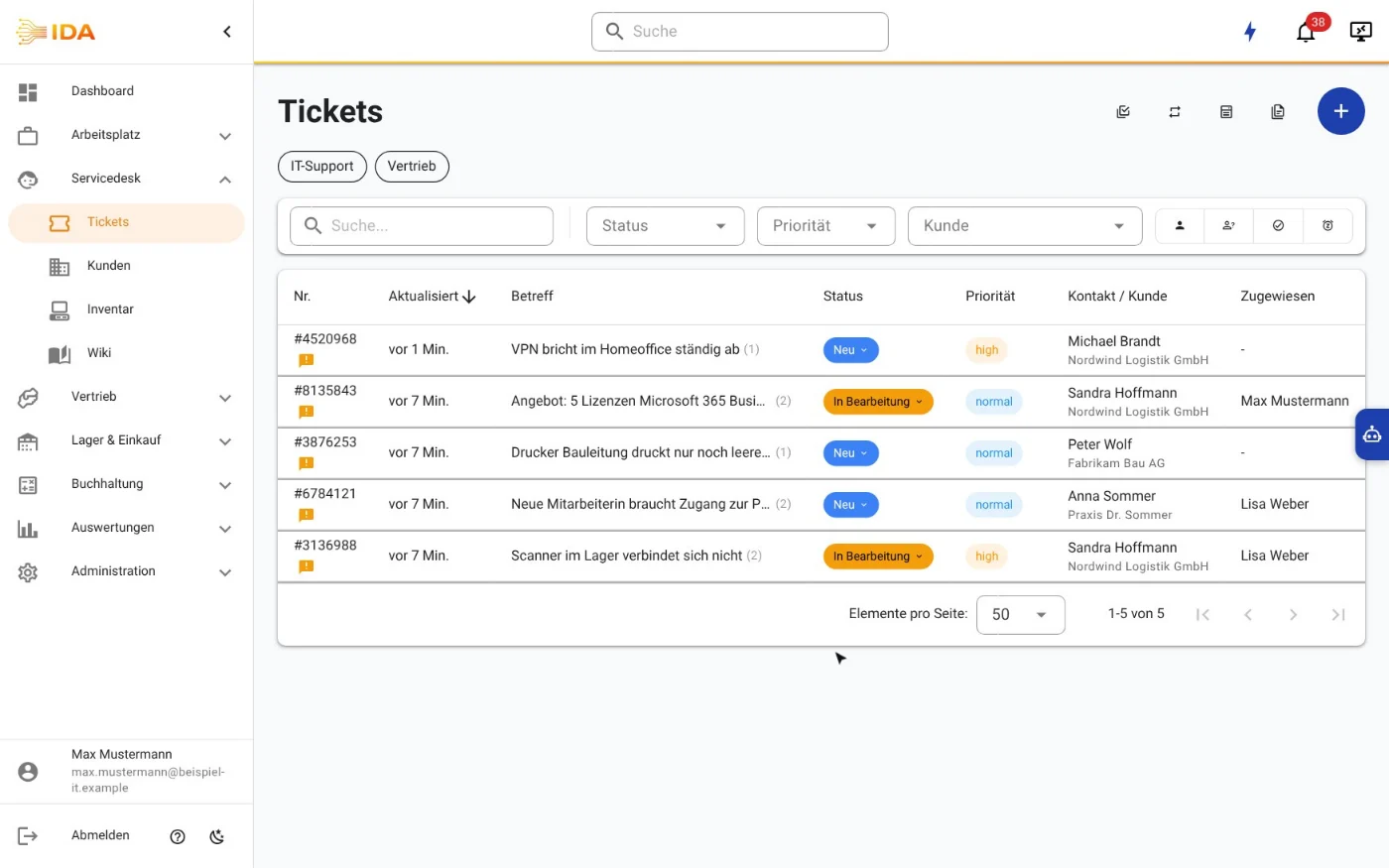
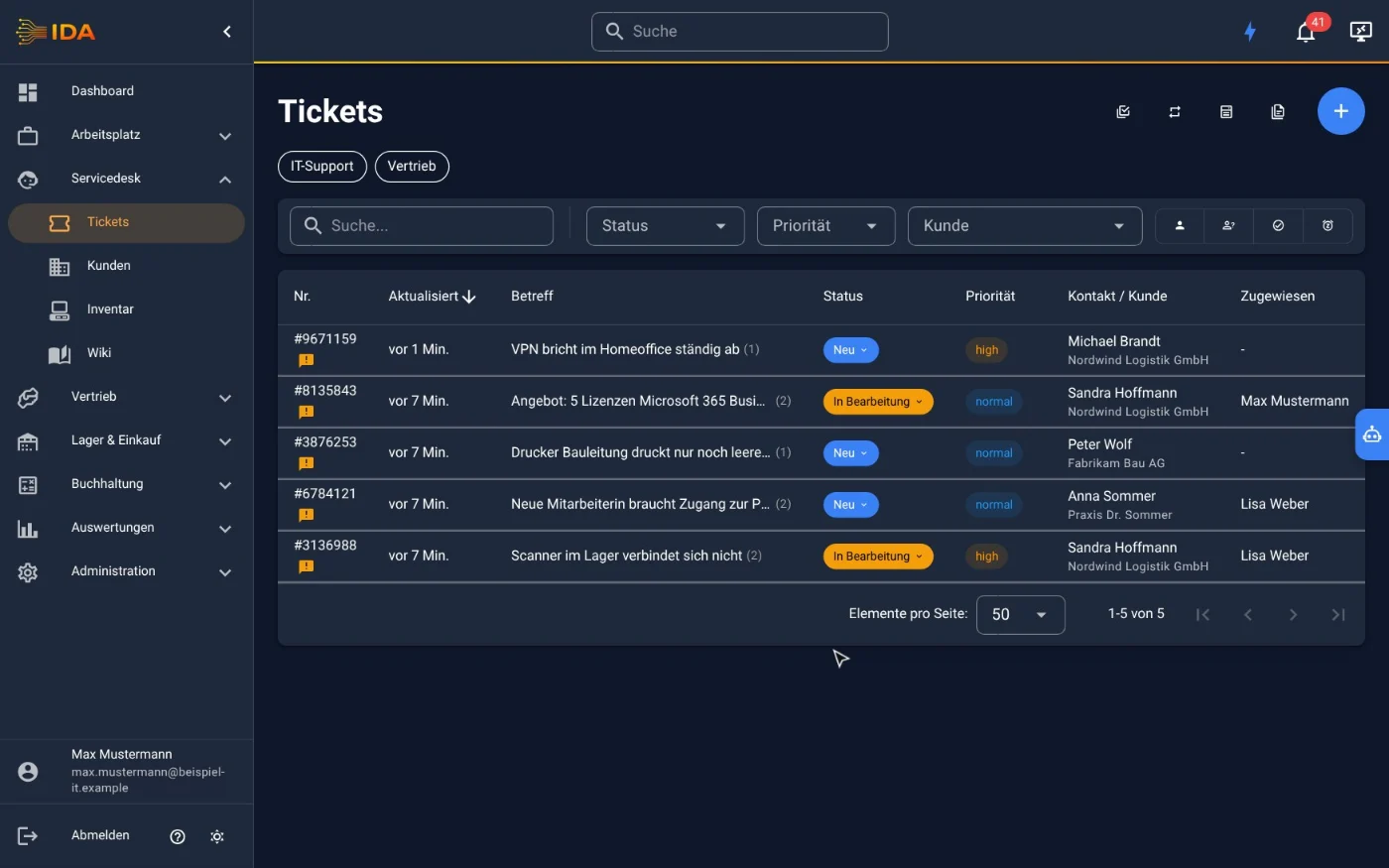
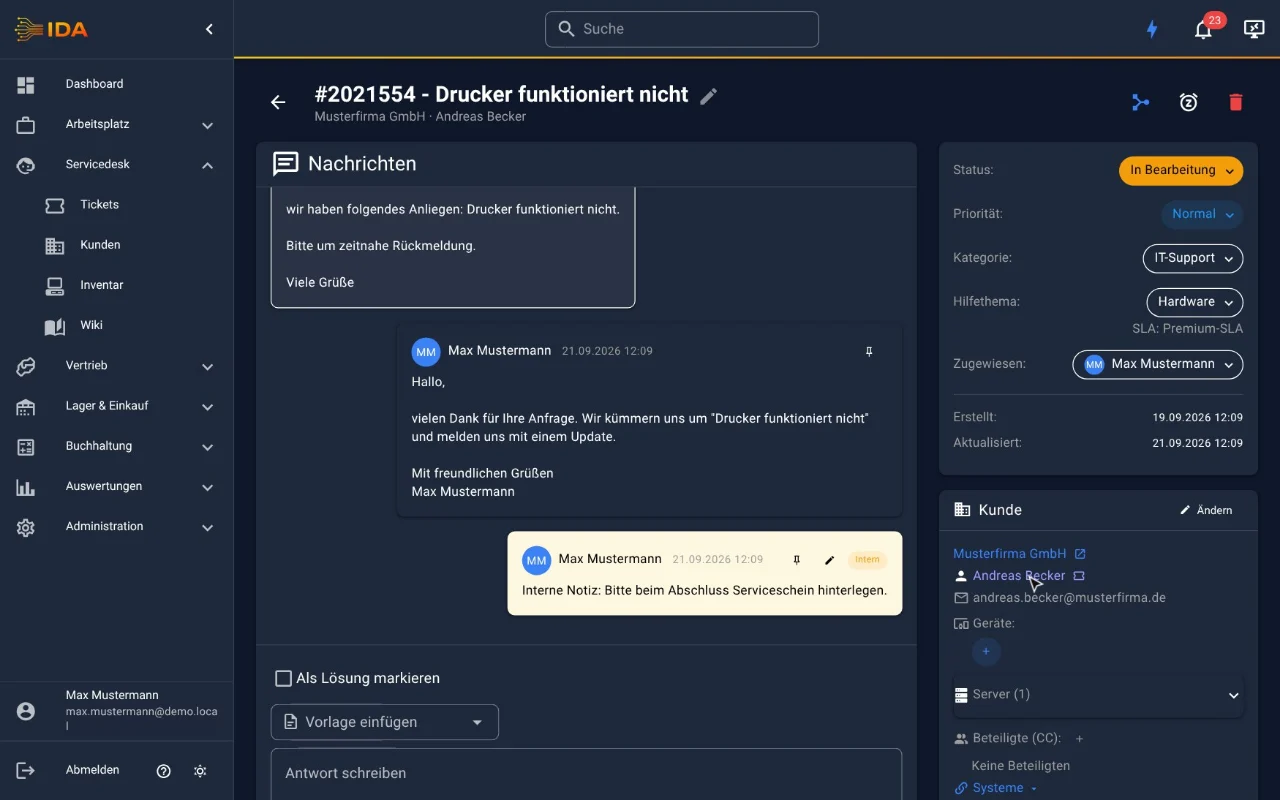
Real screens from the application. This is what daily work in IDA looks like.
Tickets & cases
Appointments & planning
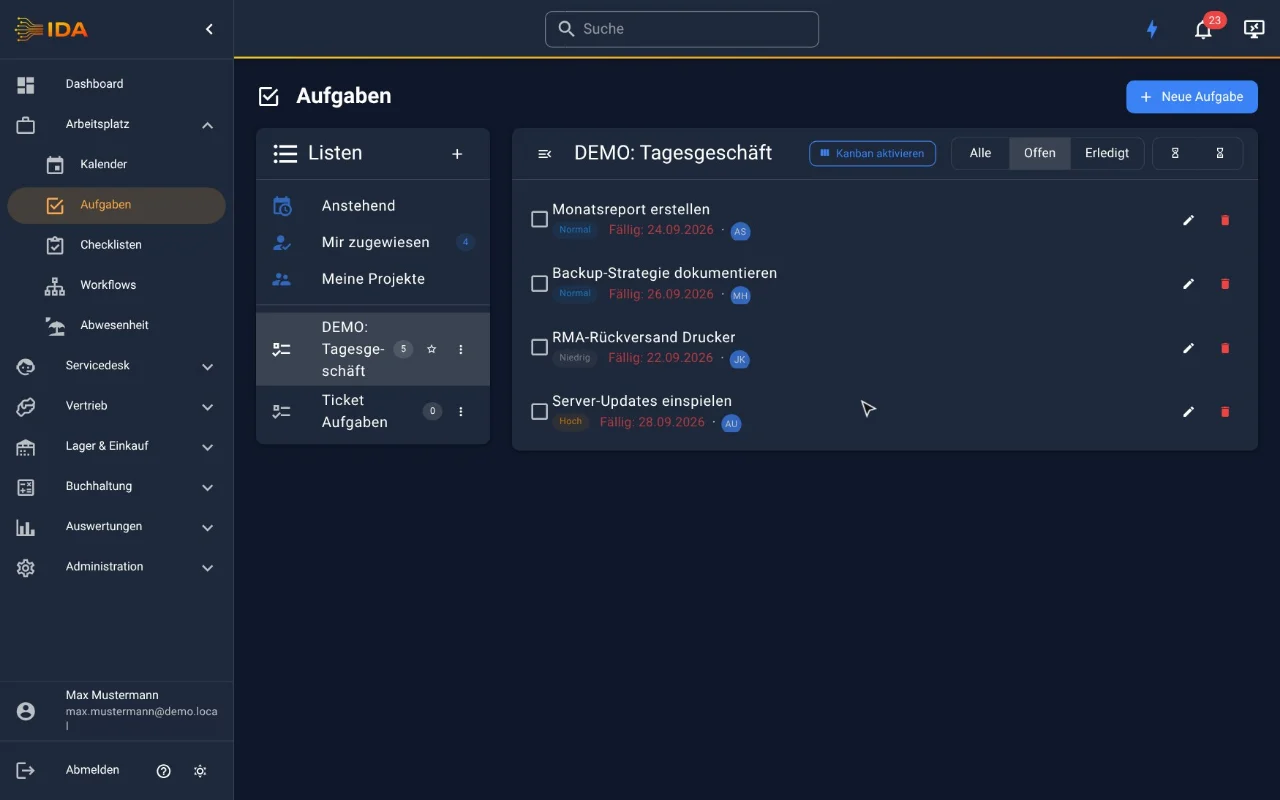
Checklists & recurring routines
Tasks & lists
From request to quote
The incident at a glance
Solutions
Built for IT service providers
IDA is built for the customer operation of an IT service provider: requests with SLAs, devices, contracts and time, through to the invoice in the same system. If you already run an ERP, the commercial part can be switched off for your tenant.
IT service providers & system houses
Tickets with SLA, automatic hardware discovery, monitoring and remote support integration, maintenance contracts with budget, through to the invoice in the same system.
Learn more →Your tools, connected
Discovery, monitoring, backup, security, cloud licences and telephony: around 40 integrations, each one switchable on its own.
Learn more →On the road
IDA is also available as an app
For technicians and field service: work tickets, book time, have the customer sign the service report on site and get monitoring alerts as push notifications on the phone. The app signs in to your IDA installation via single sign-on or two-factor authentication and can be locked with fingerprint or face recognition.
Frequently asked
Answered briefly
What does IDA cost?
29 EUR per named user and 59 EUR per pool licence per month (plus VAT), all functions included, no packages, no add-on surcharges. Details on the pricing page.
Do I have to give payment details for the trial?
No. You try IDA free for 30 days without storing a payment method. Only if you subscribe afterwards do you choose how to pay: SEPA direct debit or bank transfer against an invoice. No credit card is needed.
Where is my data hosted?
In Germany, operated by S³ IT GmbH, GDPR-compliant and with daily encrypted backups.
Who is IDA for?
For IT service providers and system houses. That is what it is built for, from SLA tickets through inventory and maintenance contracts to the invoice. From the first customer call to the invoice, everything stays in one system with no handover between tools.
Is an ERP included?
Yes, at no extra cost: quotes and orders, invoices including e-invoicing, warehouse with serial numbers, purchasing, banking with SEPA and dunning, and accounting with a DATEV export. If you already run an ERP, the commercial part can be switched off entirely for your tenant.
Does IDA work with AI?
Yes. The AI assistant is built right into IDA: it answers questions about tickets, customers, devices, contracts and documents and suggests replies, time entries or quotes that you confirm with a click. You use your own AI account (Claude, OpenAI-compatible or your own model). Through the MCP server, Claude and ChatGPT can connect to IDA as well.
Can the AI help during remote support?
Yes. With AI diagnostics the AI checks a Windows machine during remote support with PowerShell and suggests the fix. Every command runs only after the technician clicks, changing ones only after a second click; the customer consents and sees every command.
Is there an IDA app?
Yes. The IDA app is available for iPhone and iPad on the App Store and for Android on Google Play. It is included in the licence and signs in to your IDA installation. In the browser and as an installable web app (PWA), IDA runs on any device anyway.
Can I cancel monthly?
Yes. The term is cancellable monthly to the end of the month. Entry starts at 3 named users; beyond that you pay only for active users.
Is the application available in English?
Not yet: the IDA interface and support are currently German-language. This site is in English so you can evaluate the product; get in touch if an English interface would be a requirement for you.
Transparent
One price. Everything included. No hidden cost.
No packages, no module surcharges. You pay for active users only, every function is always part of it.