AI assistant
An AI assistant in IDA, with your data and your permissions
Ask IDA the way you would ask a colleague: what is going on at this customer, which contracts are running out, what does the wiki say? The assistant looks things up, summarises, turns a request into a quote and drafts the reply to the customer. It only creates, changes or sends something once you confirm it with a click.
No payment details · Hosted in Germany
What it does
Chat window in every view, optionally referring to the open ticket, order or customer
Looks up and summarises: tickets, customers, devices, contracts, orders, documents, open items, tasks, time and wiki
Creates and changes on your confirmation: tickets, replies to customers, internal notes, time entries, tasks, customers, contacts, devices, orders, quotes and wiki pages
Every proposal with a readable preview: customer, item and document in plain text; anything IDA cannot find is flagged in red
Permissions and customer restrictions apply as in the interface, every change is logged and marked “via AI assistant”
Enable for everyone, selected users or departments; changes and individual data areas switchable separately
Your own AI account: Anthropic Claude or OpenAI-compatible providers (OpenAI, Azure, Mistral or a model on your own network), you choose models and a daily limit
MCP server: Claude, ChatGPT and other assistants connect to IDA via OAuth, with the same permissions and the same confirmation rule
Token usage report per user and day
Several connections at once, for example Claude, an OpenAI model and a local model: staff choose among the models enabled for them
Web search on Claude connections: the chat looks things up online when needed and cites the source with a link
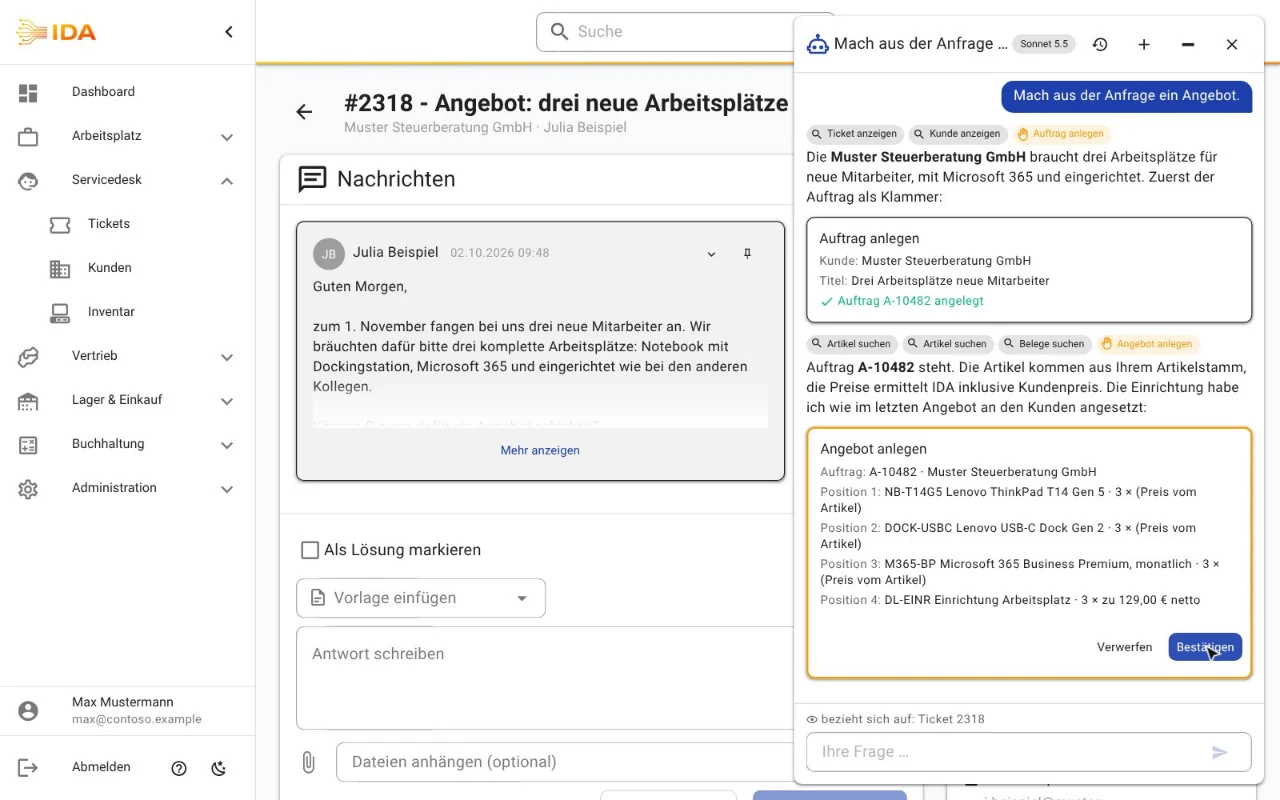
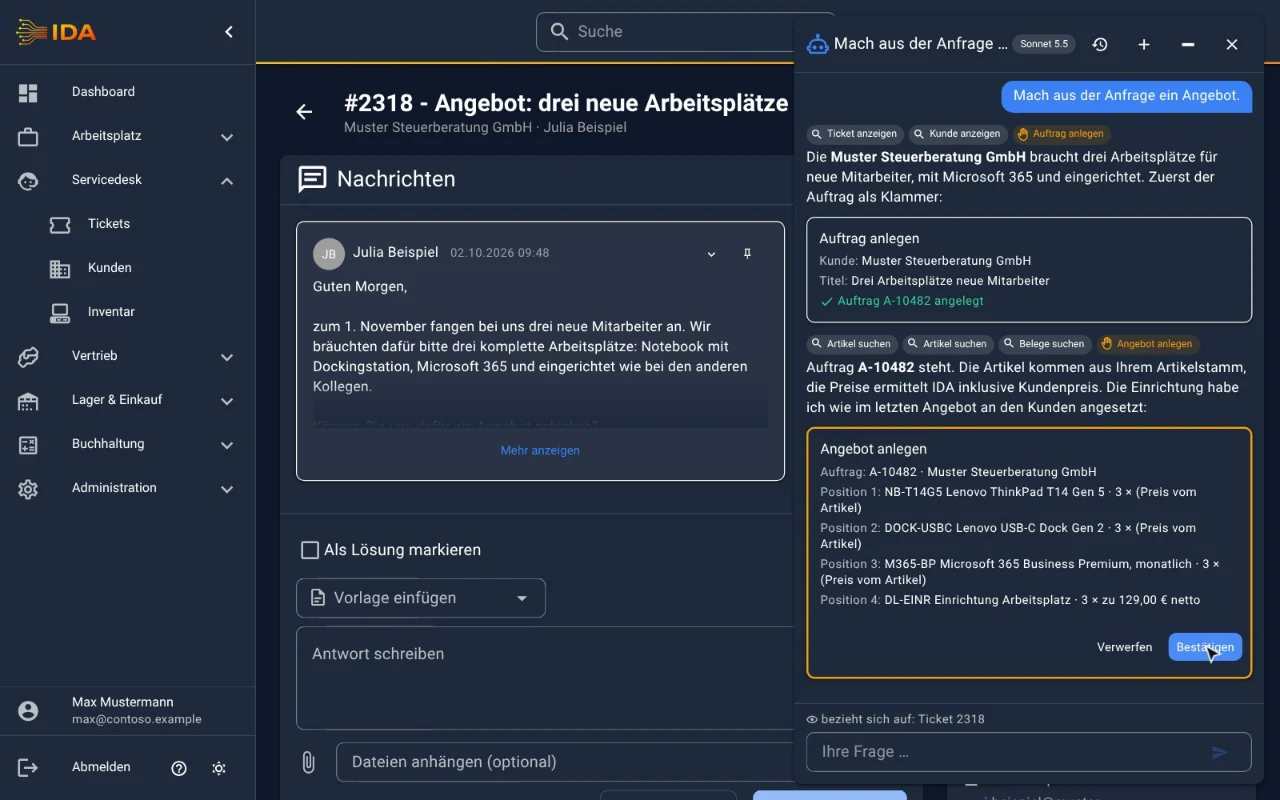
From request to quote
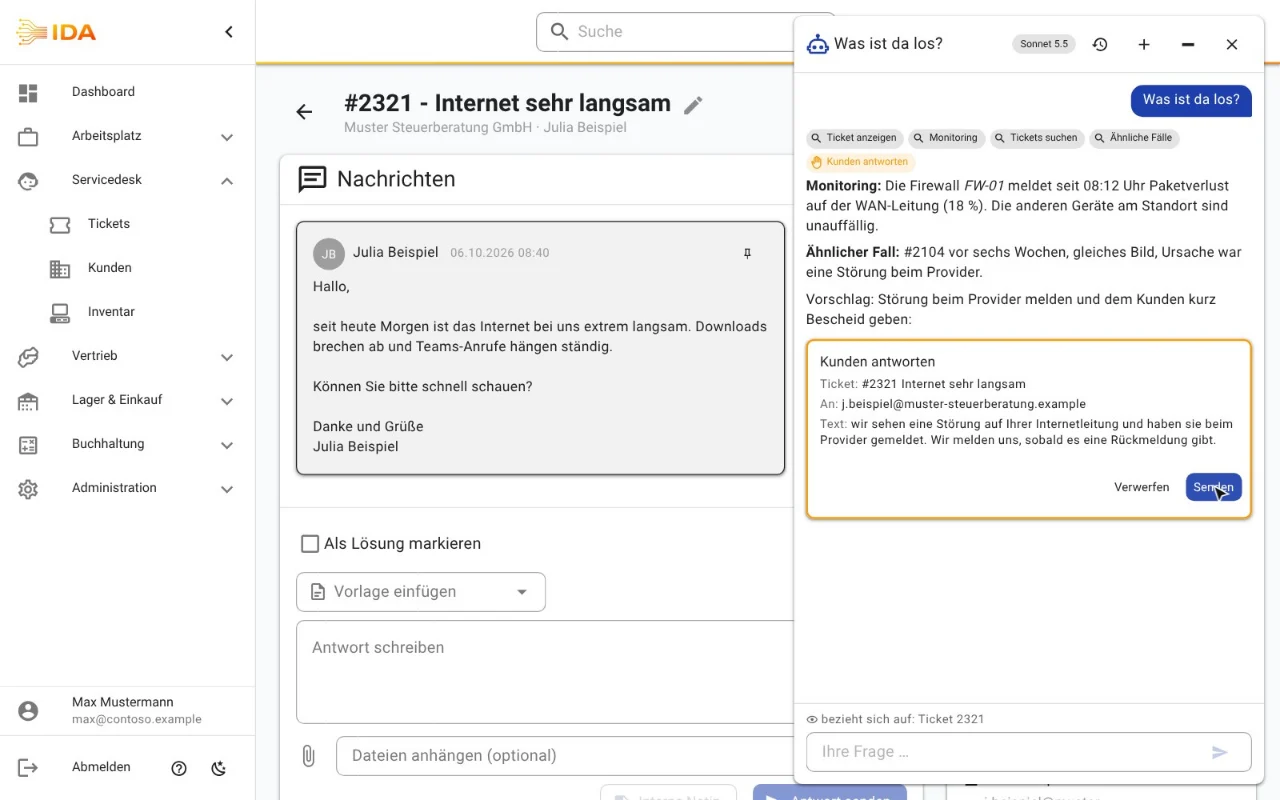
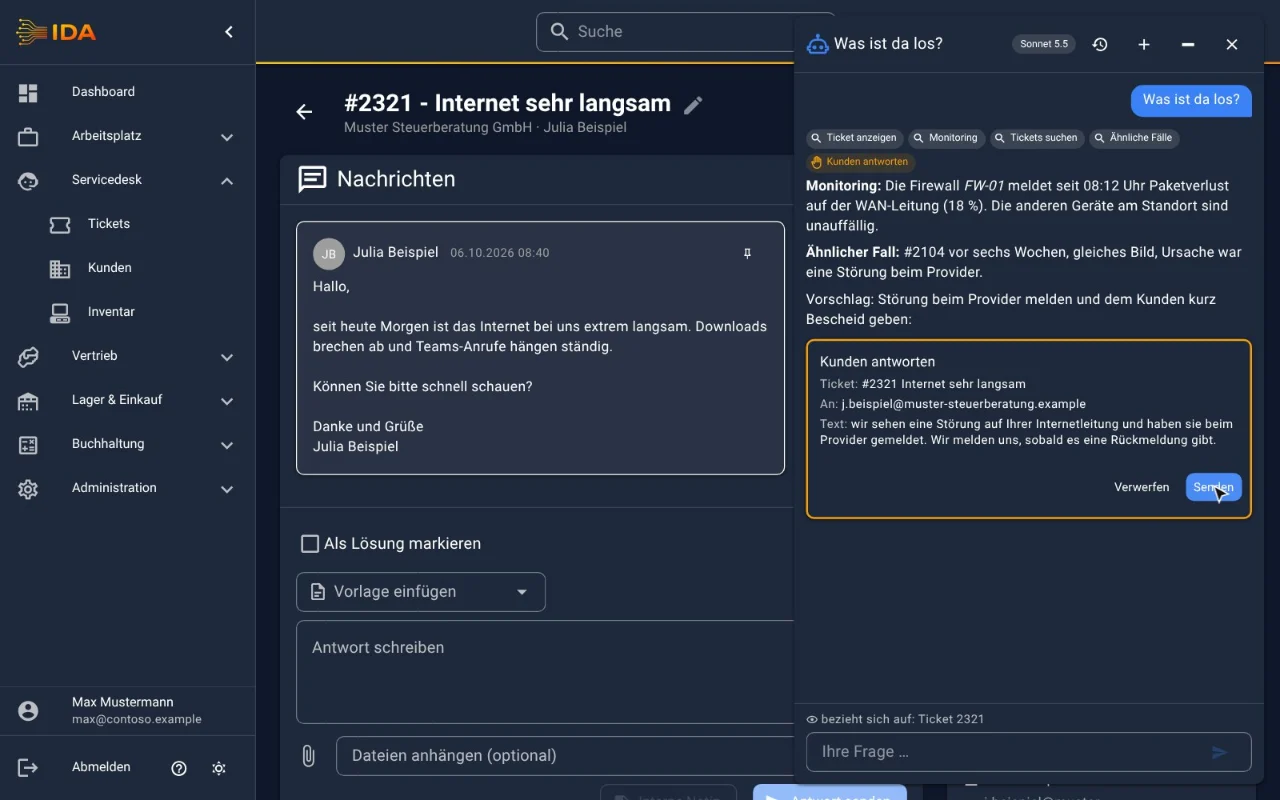
The incident at a glance
In practice
In practice
A customer calls, the internet is slow. Instead of opening five screens, the engineer asks in the chat and gets the open ticket, the similar case from six weeks ago and a draft reply within seconds. In sales, the request in the mailbox becomes a quote with the right items and customer prices in two clicks.
Frequently asked questions
Which AI is behind it?
The one you configure: Anthropic Claude or an OpenAI-compatible provider such as OpenAI, Azure OpenAI, Mistral or a model on your own network. You use your own account and decide which models your staff may choose.
Can the AI change things or write to customers on its own?
No. Every change is a proposal with a preview. Only your click on “Confirm” or “Send” carries it out. What the assistant reads in emails or tickets is treated as data, not as instructions.
Where does my data go?
Chats are stored in your IDA, you set the retention. What the assistant looks up for an answer goes to the AI provider you configured; with a model on your own network, everything stays with you. You decide which data areas the AI can see at all.
Does the AI assistant cost extra?
It is included in IDA at no extra cost. You pay your AI provider directly for usage; a daily limit and the usage report keep costs in view.
What is MCP?
The Model Context Protocol is the open standard AI assistants such as Claude or ChatGPT use to access applications. IDA ships an MCP server: users connect their assistant by signing in and consenting, with their own permissions.
Try IDA free for 30 days
No payment details. One price, everything included.