Ticketing
Ticket system - every request in one place
Whether it arrives by email, through the web or over an API: IDA turns every request into a traceable ticket - with an owner, a priority and an SLA deadline calculated for you.
No payment details · Hosted in Germany
What it does
Intake by email, web form or API - with automatic customer matching via the email domain
Categories, priorities and automatically calculated SLA deadlines for response and resolution
Configurable status workflows that respect business hours and public holidays
Reply templates for the answers you write again and again
Recurring tickets for work that comes back on a schedule
Customer portal with magic link - raise and track requests without a password
Notifications in Microsoft Teams (adaptive cards)
Outgoing email in your own branding - logo, colours and signature from your master data, with several signatures per customer
Time tracking on the ticket, assigned to the right maintenance contract automatically
Satisfaction rating per ticket: one click on a smiley in every email or in the portal - no login required
Customers can escalate a ticket themselves while it is being worked on, to recipients you configure
Suggestions of similar solved cases, including an excerpt of what fixed them
Merge tickets and snooze them - a customer reply wakes a snoozed ticket up again
Security changes need approval: nobody changes access rights, new users or passwords on the request alone, an authorised person at the customer approves through a stored channel
From arrival to resolution
In practice
In practice
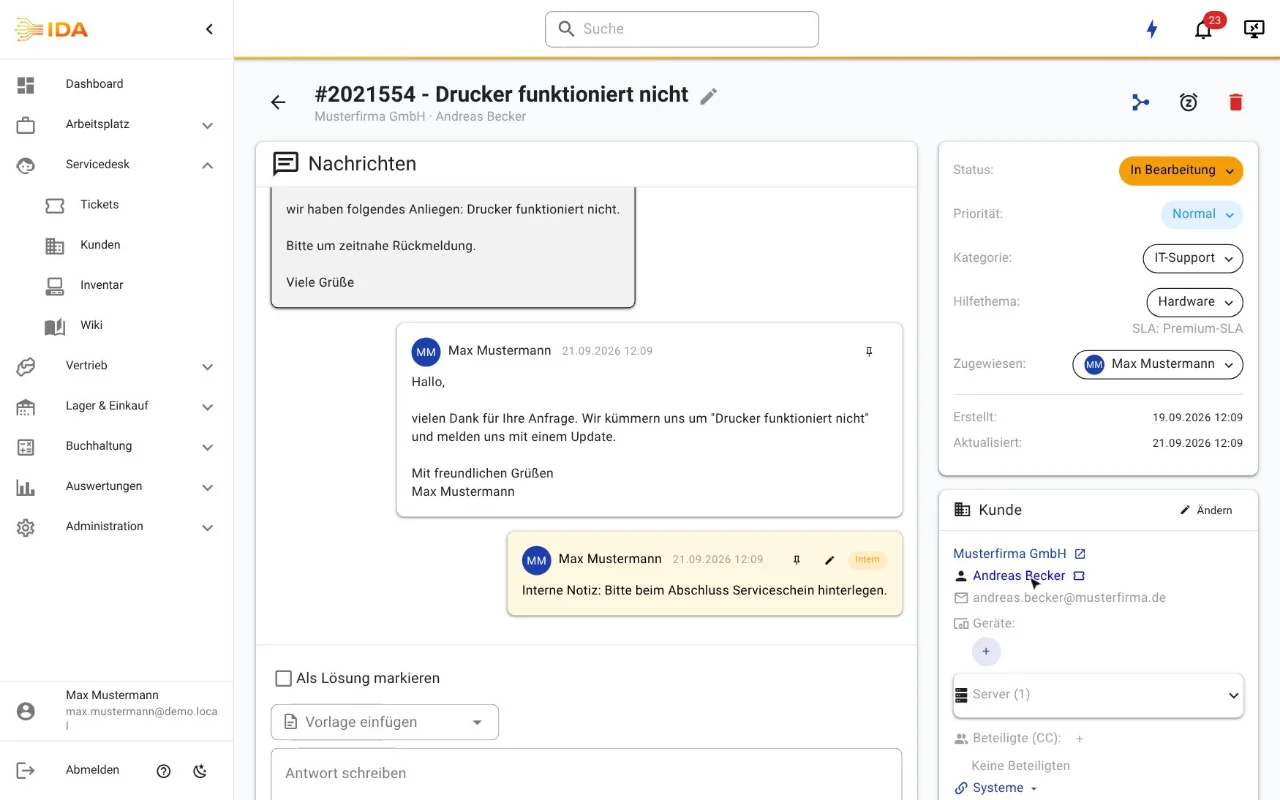
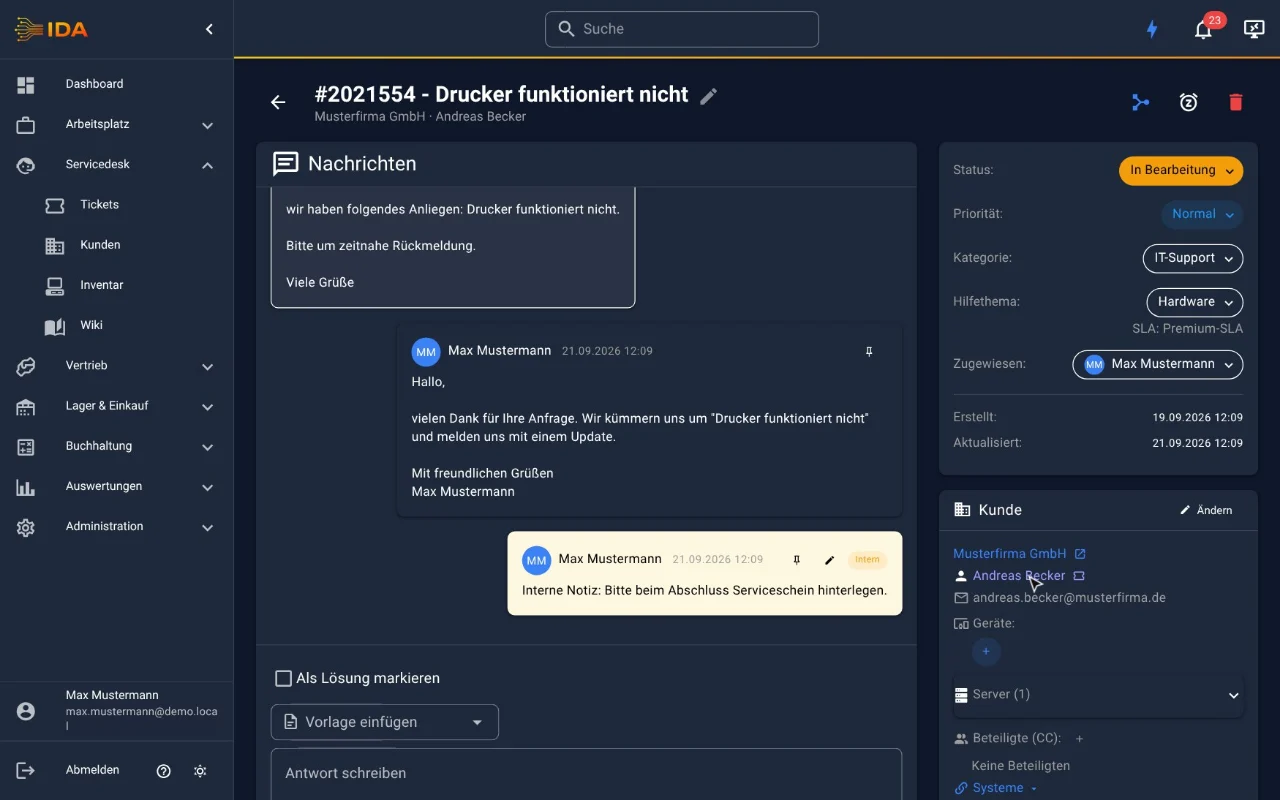
A customer reports a fault by email. IDA creates the ticket, matches it to the right customer, calculates the SLA deadline and notifies the team in Microsoft Teams. The time spent is booked straight onto the maintenance contract - the month-end report writes itself.
Frequently asked questions
Can tickets be created from incoming email?
Yes. Incoming email becomes a ticket. The sender is matched to the right customer via the email domain, and replies to an existing ticket are threaded onto it instead of opening a new one.
How do SLA deadlines work?
An SLA defines response and resolution times per priority and takes business hours and public holidays into account. Assignment is hierarchical: a customer-specific SLA overrides the category SLA, which overrides the default.
Do customers need an account to raise a request?
No. Through the customer portal with a magic link they raise and follow their requests without any password to manage.
Is outgoing email sent in our own branding?
Yes. Outgoing mail picks up logo, colours and signature from your master data - consistent across the application, with several signatures per customer if you need them.
Can we migrate from an existing helpdesk?
Yes. IDA ships an importer for osTicket that brings tickets, messages, attachments, time entries, contacts and organisations across, so the history comes with you.
Do we get feedback on customer satisfaction?
Yes. Customers rate each ticket with a single click from the email or in the portal, without logging in. The results feed a satisfaction report that links back to the individual tickets.
Try IDA free for 30 days
No payment details. One price, everything included.