AI diagnostics in remote support
AI diagnostics in remote support: the AI finds the fault, you decide
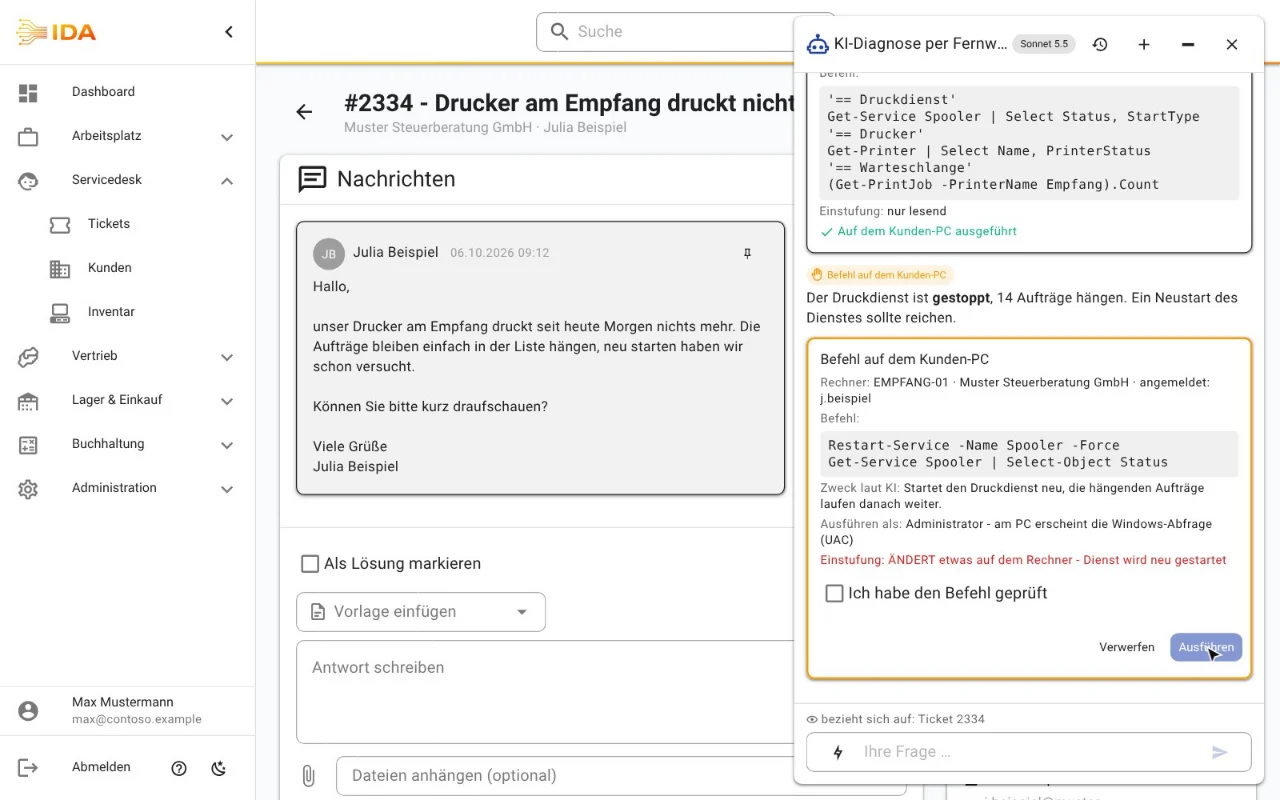
The technician is on the machine via remote support and has the customer on the phone. Instead of hunting for commands, they start AI diagnostics in the chat: the AI reads the ticket, checks the machine with PowerShell and suggests the fix. Every command runs only after their click, and the customer consents and sees every command.
No payment details · Hosted in Germany
What it does
Started from the AI chat: reads the open ticket, lists waiting remote sessions and names the one matching the customer first
The customer consents once in the remote support window, then sees every command and can end AI diagnostics at any time
The AI proposes PowerShell commands, bundles read-only checks into one step and evaluates the output
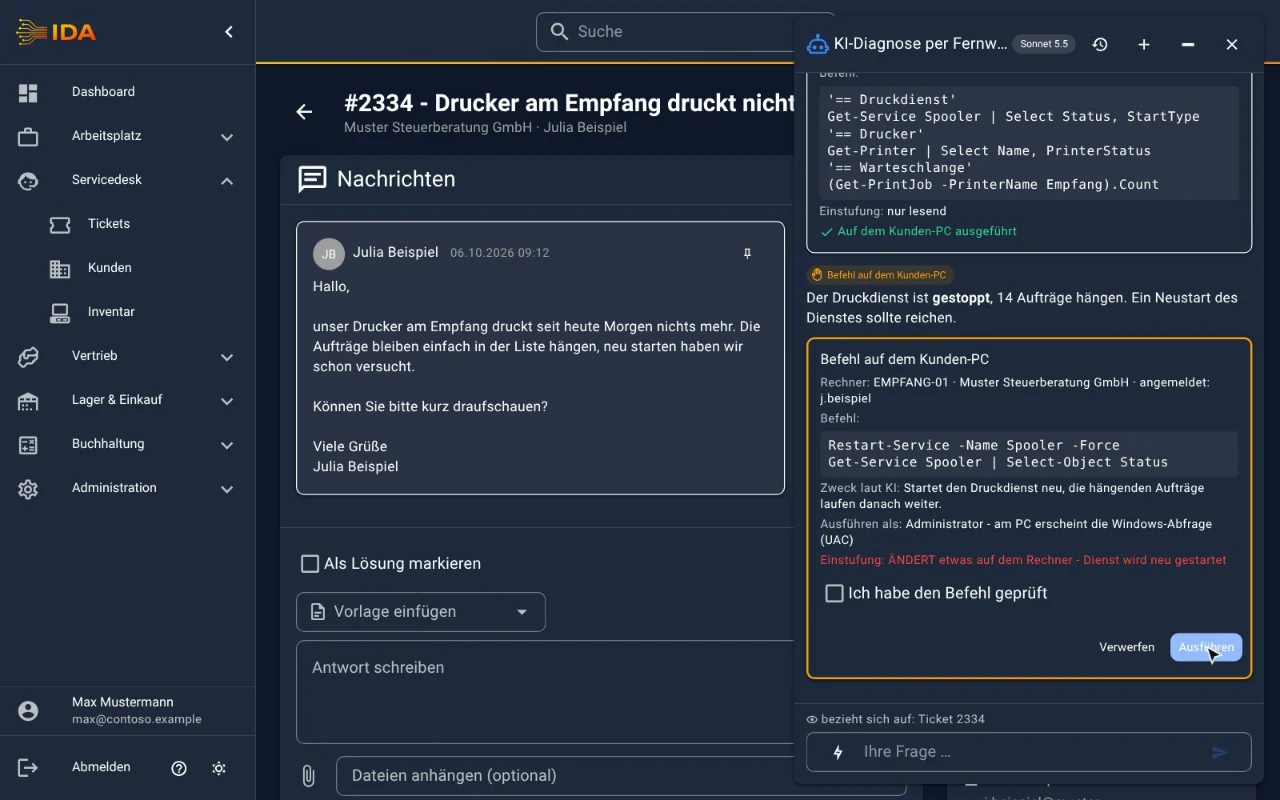
IDA classifies every command itself, independently of the AI and again in the client: read-only takes one click, changing commands are highlighted and need "I have checked the command"
Blocked is whatever cannot be read: encoded commands, running text as code, downloading and executing scripts directly
Commands run with the signed-in user's rights; administrator commands only via the Windows prompt (UAC), confirmed by the technician over remote support
Signed jobs: the client only runs what comes from your IDA, with its own key per tenant
Log of every session with command, classification and output, kept for one year
Enabled per employee through roles, switched on with the AI assistants
Narrow it down with one click, change with two
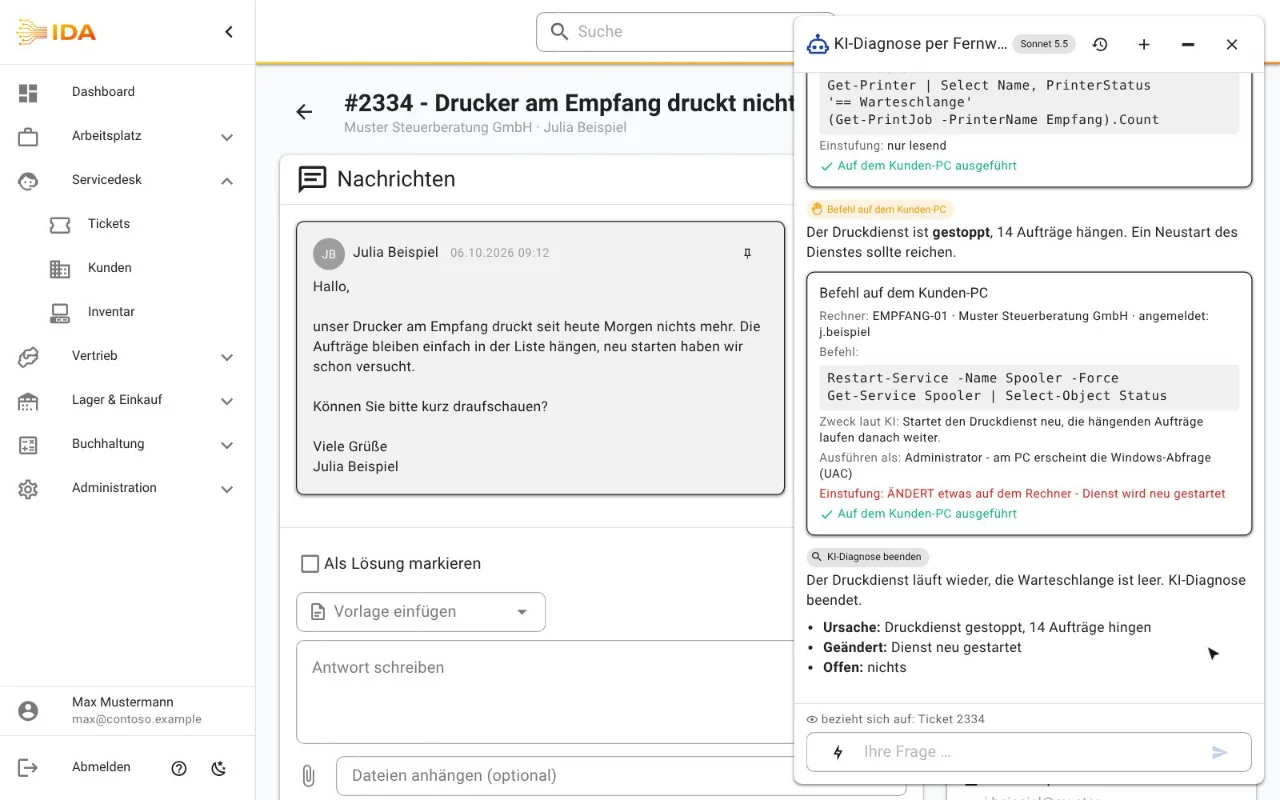
A summary at the end
In practice
In practice
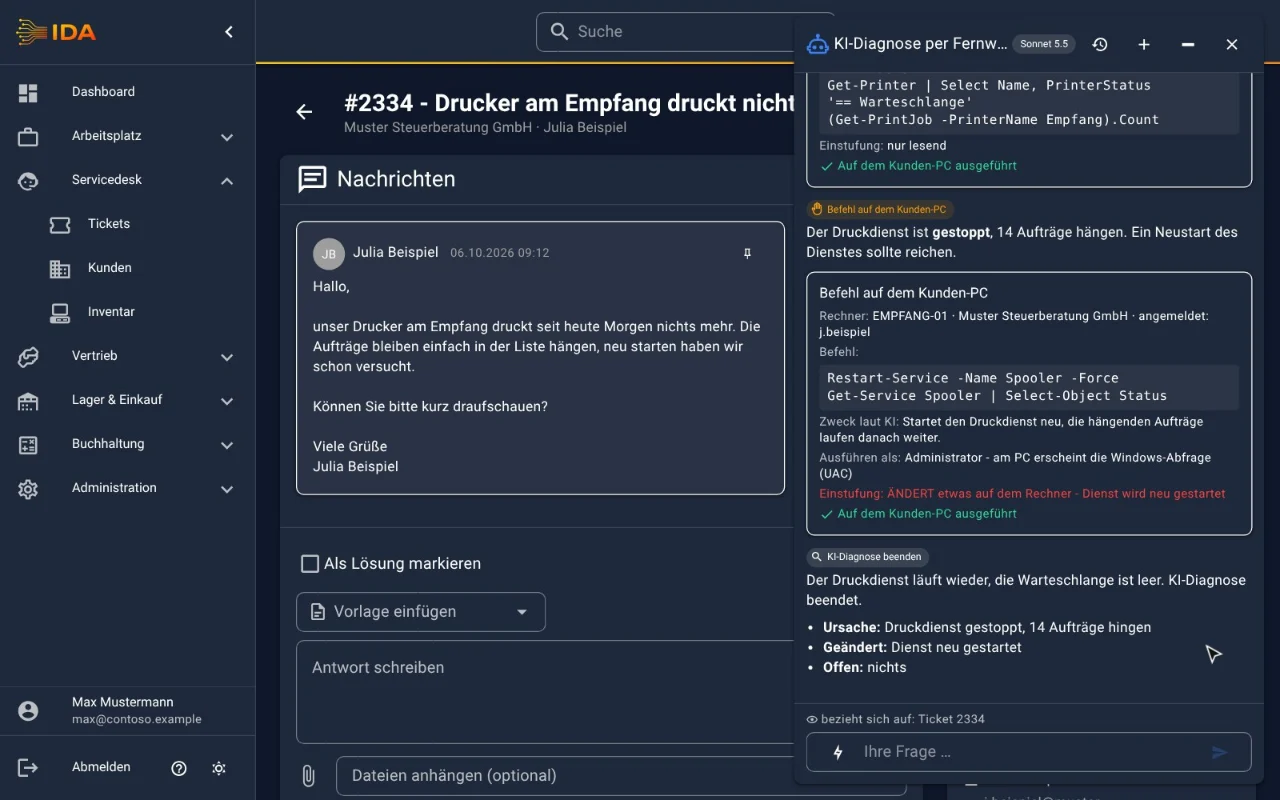
The reception printer is not printing and the customer is on the phone. The technician connects via remote support and starts AI diagnostics. One read-only command shows: print spooler stopped, 14 jobs stuck. The AI proposes restarting the service, the technician checks the command, ticks the box and clicks "Run". Shortly after, reception prints again and the summary is in the chat, ready for the ticket.
Frequently asked questions
Can the AI change anything on the machine by itself?
No. Every command is a proposal with its full wording. It runs only after the technician clicks, and a changing command additionally only after ticking "I have checked the command". Without a running remote session and the customer's consent there are no commands.
What does the customer see?
At the start, the remote support window asks whether the session may be supported by AI, with a privacy notice. After that the customer sees every command and can end AI diagnostics at any time.
With which rights do the commands run?
With those of the signed-in user. If a command needs administrator rights, the Windows prompt (UAC) appears on the machine and the technician confirms it over remote support. Without that confirmation nothing runs elevated.
Where does the data go?
Command output goes to the AI provider you configured for the AI assistant; with a model on your own network everything stays with you. Chat and log stay in your IDA.
Which machines does AI diagnostics support?
Windows machines connected via IDA remote support. A Mac version will follow.
Does AI diagnostics cost extra?
No. Remote support and AI diagnostics are included in the price. You pay for your AI provider directly; the daily limit and usage report apply as for the AI assistant.
Try IDA free for 30 days
No payment details. One price, everything included.